Best laptop for coding under 50000 is one of the most searched topics among students in 2026.
If you are a student learning coding in 2026, choosing the right laptop under ₹50,000 is very important. Many students buy laptops by looking only at brand or RAM and later realize the laptop becomes slow during real coding work.
This guide is written for practical use, not just specs. The recommendations below are suitable for tasks like:
- Web development (HTML, CSS, JavaScript)
- Python, Java, C/C++ programming
- VS Code, Chrome with multiple tabs
- Light Android Studio usage
- College projects and daily multitasking
Things to Consider Before Buying the Best Laptop for Coding Under 50000
Before jumping to laptop models, understand what actually matters for programming performance.
1. Processor (CPU) – Most important
The processor decides how fast your code compiles, how smoothly apps run, and whether your system lags when multitasking. In real use, weak processors struggle when you open VS Code, browser tabs, and tools together.
Recommended minimum:
- Intel i5 (11th / 12th Gen)
- AMD Ryzen 5 (5500U / 5625U or better)
2. RAM – Minimum 8GB is necessary
8GB RAM is the minimum for smooth programming. If you use Chrome with many tabs, Android Studio, or virtual machines, 8GB can feel tight. A laptop with upgradable RAM is always a smarter long‑term choice.
3. Storage (SSD) – Non‑negotiable in 2026
Always choose SSD, not HDD.
In real usage, switching from HDD to SSD makes laptops feel 2–3x faster. Boot time, app opening, and file transfers all improve drastically.
Recommended minimum: 512GB SSD
4. Display – You will stare at it for hours
A Full HD (1920×1080) display is important for coding because you spend long hours reading text. Poor screens cause eye strain and reduce productivity.
5. Battery Life – Important for students
If you are a student, you need at least 6–8 hours of battery backup for college, travel, or study sessions.
Minimum Specifications Required for Programming
If your laptop is below these specs, you will face lag during real work.
- Processor: Intel i5 11th Gen / Ryzen 5 5500U or better
- RAM: 8GB minimum (should be upgradable)
- Storage: 512GB SSD
- Display: Full HD IPS panel
- Battery: At least 6 hours backup
Best Laptops for Coding Under 50000 in India (2026)
Below are laptops that offer the best balance of performance, reliability, and value for students and beginners.
Note: Prices change frequently. Always check latest price before buying.
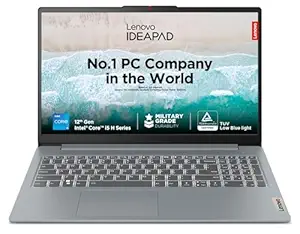
Lenovo IdeaPad Slim 3 (Intel i5 12th Gen – 16GB Variant)
Key Specifications:
- Processor: Intel Core i5 12450H (12th Gen)
- RAM: 16GB DDR4 (Excellent for multitasking, future-proof)
- Storage: 512GB SSD
- Display: 15.6-inch Full HD (1920×1080)
- Battery Backup: Around 6–7 hours (normal usage)
- Weight: Around 1.7–1.8 kg
- Operating System: Windows 11 Home
- MS Office: Included (in most variants)
Approx Price: ₹46,000 – ₹50,000 (may vary during sales)
Why this is good for coding:
- Handles VS Code + Chrome smoothly during real usage
- Fast SSD keeps the system responsive and lag-free
- Good performance for Python, Java, and web development
- Reliable brand with good service network in India
- Lightweight design makes it easy for students to carry
Limitations:
- Average speakers
- Not suitable for heavy gaming or video editing
- Display quality is decent but not color-accurate
Best for: Students learning programming, college projects, online courses
If you are using Windows 11, you may also face battery drain issues Read our window 11 battery drain fix guide here.
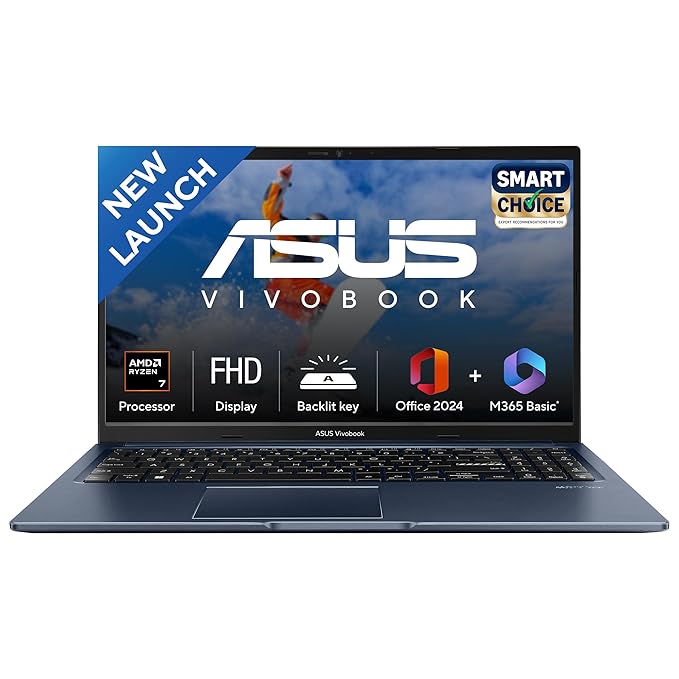
ASUS Vivobook 15 (Ryzen 7 5825U – 16GB Variant)
Key Specifications:
- Processor: AMD Ryzen 7 5825U
- RAM: 16GB
- Storage: 512GB SSD
- Display: 15.6-inch Full HD (1920×1080)
- Operating System: Windows 11 Home
- Battery Backup: Around 6–7 hours (normal usage)
- Weight: Around 1.7–1.8 kg
- Approx Price: ₹46,000–₹50,000 (may vary during sales)
Why this is good for coding:
- Very strong multitasking performance (better than i5)
- Handles VS Code, Chrome tabs, and heavy workloads easily
- Good for Python, Java, web dev, light Android Studio
- 16GB RAM gives long-term smooth performance
Limitations:
- Display quality is average
- Speakers are basic
- Not meant for gaming or video editing
Best for: Students who want strong performance, faster speed, and long-term usage.
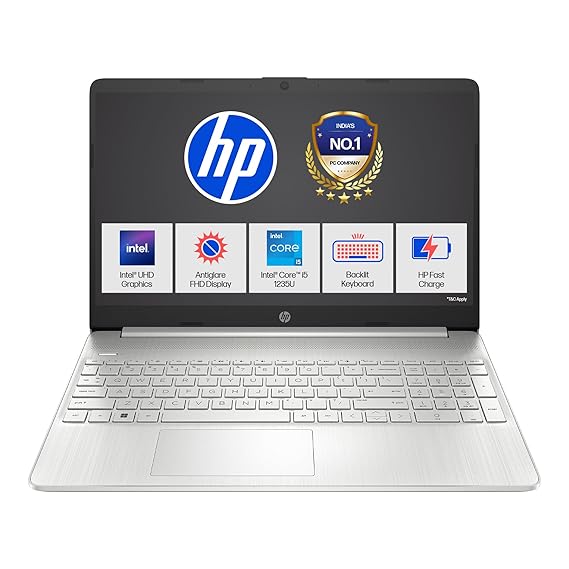
HP 15s (Intel i5 12th Gen – i5-1235U)
Key Specifications:
- Processor: Intel Core i5-1235U (12th Gen)
- RAM: 8GB DDR4
- Storage: 512GB SSD
- Display: 15.6-inch Full HD (1920×1080), Anti-Glare
- Graphics: Intel UHD / Iris Xe (integrated)
- Operating System: Windows 11 Home
- MS Office: Included
- Keyboard: Backlit Keyboard
- Weight: Around 1.69 kg
- Battery Backup: Around 6–7 hours (normal usage)
Approx Price: ₹46,000 – ₹50,000 (may vary during sales)
Bonus Picks (Often Available Under ₹50,000 During Sales)
Some laptops are usually priced slightly above ₹50,000, but during major sales, bank offers, or card discounts, they often drop below ₹50,000. These are optional but worth considering.
Why this is good for coding:
- Handles VS Code and multiple Chrome tabs smoothly during real use
- Intel i5 12th Gen processor offers strong multitasking performance
- Fast SSD keeps the system responsive and reduces loading time
- Backlit keyboard is useful for late-night study or work
- HP has a strong service network across India
Limitations:
- Not suitable for heavy gaming or professional video editing
- Speakers are average
- Display quality is good but not color-accurate for content creators
Best for: Students learning programming, college projects, online coding courses, and beginners working with Python, Java, or web development.
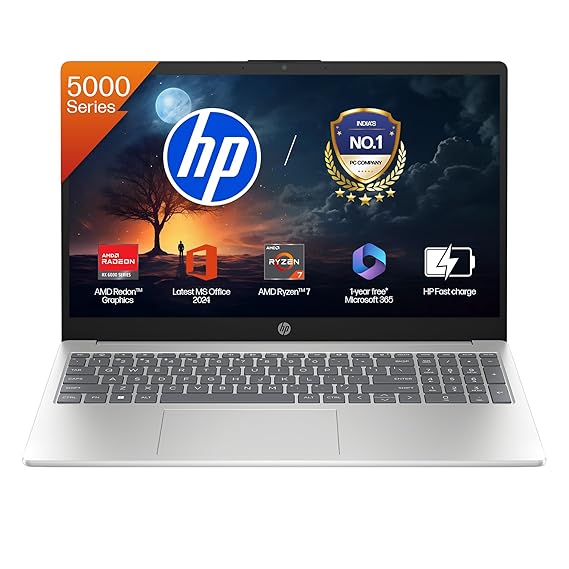
HP 15 (AMD Ryzen 7 5825U, 16GB Variant)
Key Specifications:
- Processor: AMD Ryzen 7 5825U
- RAM: 16GB DDR4
- Storage: 512GB SSD
- Display: 15.6-inch Full HD (1920×1080), Anti-glare
- Graphics: Integrated AMD Radeon Graphics
- Operating System: Windows 11 Home
- MS Office: Included (Office 2024 in most variants)
- Keyboard: Backlit Keyboard
- Weight: Around 1.59 kg
- Battery Backup: Around 6–7 hours (normal usage)
- Approx Price: ₹46,000 – ₹50,000 (may vary during sales)
Why this laptop is good for coding:
- Powerful Ryzen 7 processor handles heavy multitasking easily
- Runs VS Code, Python, Java, Android Studio, Chrome tabs smoothly
- 16GB RAM is future-proof for students and developers
- Fast SSD keeps the system responsive and lag-free
- Large 15.6″ display is comfortable for long coding sessions
Limitations:
- Not suitable for high-end gaming
- Display quality is decent but not color-accurate for professional editing
- Plastic build feels basic (performance is strong though)
Best for: Students learning programming, college projects, web development, app development, freelancers, and anyone who wants strong performance under budget.
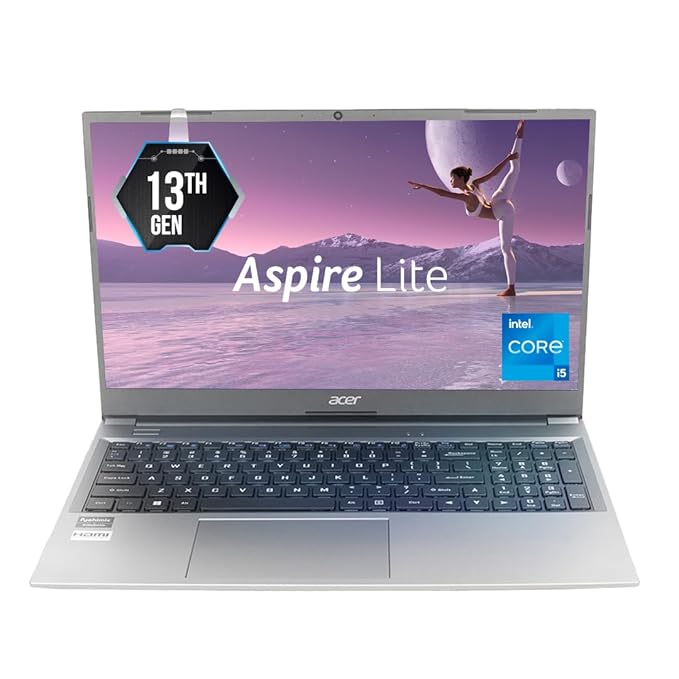
Acer Aspire Lite (Intel Core i5 13th Gen, 16GB RAM)
Key Specifications:
- Processor: Intel Core i5-1334U (13th Gen)
- RAM: 16GB DDR4
- Storage: 512GB SSD
- Display: 15.6-inch Full HD (1920×1080), Anti-glare
- Graphics: Intel Integrated Graphics
- Operating System: Windows 11 Home
- Keyboard: Backlit Keyboard
- Build: Metal Body (Premium design)
- Weight: Around 1.59 kg
- Battery Backup: Around 6–7 hours (normal usage)
- Approx Price: ₹46,000 – ₹50,000 (may vary during sales)
Why this laptop is good for coding:
- Latest 13th Gen Intel processor delivers fast and efficient performance
- 16GB RAM allows smooth multitasking (VS Code, Chrome, databases, etc.)
- SSD ensures quick boot time and fast file access
- Large Full HD display is comfortable for long coding sessions
- Backlit keyboard helps while working at night
- Lightweight and premium metal design makes it easy to carry
- Excellent value for money under ₹50,000
Limitations:
- Not suitable for heavy gaming or professional video editing
- No dedicated graphics card
- Speakers are average
Best for: Students learning programming, web developers, college projects, online courses, freelance developers, and anyone who wants strong performance under a budget.
You can check the latest price and availability of this laptop on Amazon.
For Windows performance tips, you can also check Microsoft’s official guide.
Which Laptop Should You Choose?
- If you want the best overall performance, choose a laptop with AMD Ryzen 5 processor.
- If you prefer a reliable brand and balanced performance, Intel Core i5 laptops are also a good choice.
- If you plan to use Android Studio, video editing, or heavy development tools, prefer a laptop that supports RAM upgrade.
Common Mistakes Students Make While Buying Laptop
Many students regret their purchase because they make these mistakes:
- Buying Intel i3 just because it has 16GB RAM
- Choosing HDD instead of SSD (always prefer SSD)
- Ignoring the processor generation
- Buying based only on the brand name, not on specifications
Avoiding these mistakes will help you make a smarter long-term investment.
Final Verdict
If you are serious about learning programming in 2026, do not compromise on the processor and SSD.
A good laptop under ₹50,000 can easily support your learning journey for the next 3–4 years if chosen wisely.
Frequently Asked Questions (FAQs)
Is 8GB RAM enough for coding in 2026?
Yes, 8GB RAM is enough for beginners who are learning programming, web development, Python, C/C++, etc.
But if you plan to use Android Studio, heavy IDEs, or multitasking, then 16GB RAM is better.
Which processor is better for coding – Intel i5 or Ryzen 5?
Both are good.
- Ryzen 5 offers better multi-tasking performance.
- Intel i5 (12th/13th Gen) offers strong single-core performance and reliability.
For students, both are excellent choices under ₹50,000.
Is SSD really important for programming laptops?
Yes, absolutely.
A laptop with SSD boots faster, opens apps quickly, and improves overall performance.
You should always choose SSD over HDD.
Can I learn programming on a laptop under ₹50,000?
Yes.
A good laptop with:
- Intel i5 / Ryzen 5
- 8GB RAM (or upgradeable)
- 512GB SSD
can easily support learning programming for 3–4 years.
Is it okay to buy laptop during Amazon or Flipkart sales?
Yes. In fact, sales are the best time to buy.
During major sales and bank offers, many laptops priced above ₹50,000 often drop below ₹50,000, giving better value.
Which laptop is best for students learning coding?
The best laptop for students should have:
- At least Intel i5 / Ryzen 5 processor
- 8GB RAM minimum
- 512GB SSD
- Full HD display
- Good battery backup
This configuration is perfect for coding, online classes, and projects.