Is 8GB RAM enough for programming? This is one of the most common questions asked by students, beginners, and even working developers. With modern programming tools, heavy browsers, IDEs like VS Code, Android Studio, and background apps, many people are confused about whether 8GB RAM is still enough or already outdated.
The honest answer is: yes, 8GB RAM is enough for programming in many cases — but not for everyone. It depends on what type of programming you do, which tools you use, and how well your system is optimized. In this article, you’ll get a clear, real-world explanation so you can decide what’s right for you.
What Does Programming Actually Need From RAM?
Programming does not only depend on writing code. It also depends on how many applications are running at the same time. A typical programming setup includes a code editor or IDE, a web browser with multiple tabs, background services, and sometimes databases or virtual machines.
RAM is mainly used to keep these applications running smoothly. If your RAM is limited, your system starts using disk memory, which makes everything slow. That’s why the RAM requirement for programming depends more on your workflow than just the programming language itself.
In simple words: Programming does not only depend on writing code. It also depends on how much RAM is used by your IDE, browser tabs, background tools, and system processes running at the same time.
Is 8GB RAM Is Enough for Programming for Beginners?
Yes, 8GB RAM is enough for programming for many beginners and students, but it depends on what type of programming you do and how heavy your workflow is. For basic coding, web development, and learning programming concepts, 8GB RAM works fine. However, for advanced development, multitasking, or using heavy tools, limitations can appear.
When Is 8GB RAM Enough for Programming?
8GB RAM is enough for programming if your work is light to moderate and your workflow is simple. For many beginners and students, 8GB RAM can handle daily programming tasks without major issues.
1. Beginners and Students Learning Programming
If you are just starting your programming journey, 8GB RAM is more than sufficient. Learning languages like C, C++, Python, Java (basic level), or JavaScript does not require heavy system resources. A single IDE and a few browser tabs can easily run on 8GB RAM.
2. Web Development (Basic to Intermediate Level)
For HTML, CSS, JavaScript, and basic frameworks, 8GB RAM works fine. Tools like VS Code, a browser with a few tabs, and basic local servers can run smoothly as long as you avoid opening too many heavy applications at the same time.
3. Light Programming Tools and IDE Usage
If you use lightweight tools such as VS Code, Notepad++, or PyCharm (with limited plugins), 8GB RAM is usually enough. Keeping your IDE clean and closing unnecessary background apps helps maintain good performance.
4. Limited Multitasking Workflow
8GB RAM is suitable when:
- You use one IDE
- You keep browser tabs limited
- You do not run heavy background software
- You avoid virtual machines or large databases
With a controlled workflow, 8GB RAM can deliver a smooth programming experience.
4. Limited Multitasking Workflow
8GB RAM is suitable when:
- You use one IDE
- You keep browser tabs limited
- You do not run heavy background software
- You avoid virtual machines or large databases
When Is 8GB RAM NOT Enough for Programming?
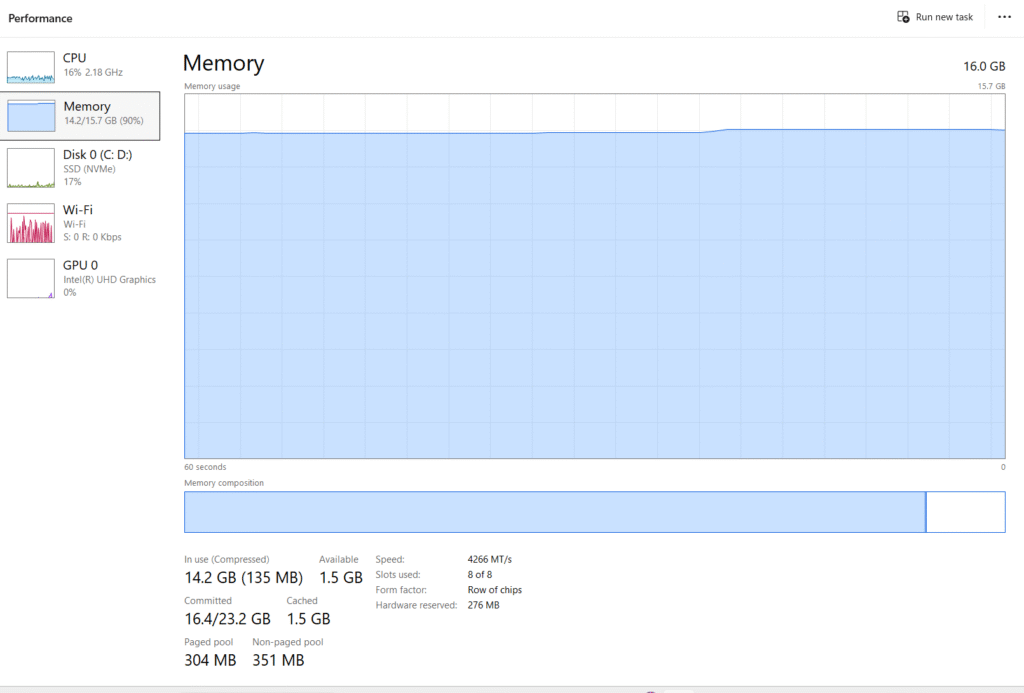
1. Android App Development (Android Studio)
Android app development usually needs more RAM because Android Studio is a heavy IDE.
It runs multiple background processes such as Gradle builds, indexing, and Android emulators.
If you use Android Studio with an emulator on an 8GB RAM laptop, you may experience slow performance, lag, or system freezes.
For smoother Android development, 16GB RAM is generally recommended.
2. Data Science, Machine Learning, and AI
Data science and machine learning workflows consume a large amount of memory.
Tools like Jupyter Notebook, Python libraries, datasets, and background services use RAM continuously.
With 8GB RAM, small experiments may work, but large datasets and model training will feel slow.
For serious data science or AI work, 16GB RAM or more is a better option.
3. Heavy Multitasking and Multiple IDEs
If you run multiple IDEs, many browser tabs, database tools, and background software at the same time, 8GB RAM can become a limitation.
Heavy multitasking increases memory usage quickly, which may cause slowdowns or force the system to use disk memory.
In such cases, upgrading RAM improves performance and system stability.
4. Virtual Machines and Docker Usage
Virtual machines and Docker containers require dedicated memory to run properly.
Even a single virtual machine can consume a large portion of available RAM.
If your programming work involves virtualization, Docker, or cloud testing, 8GB RAM is usually not enough.
A higher RAM configuration is strongly recommended for smooth performance.
Should You Upgrade to 16GB RAM for Programming?
Upgrading from 8GB RAM to 16GB RAM can make a noticeable difference in programming performance, especially if your workload is growing. You should consider upgrading to 16GB RAM if the following situations apply to you.
1. You Feel Frequent Lag or Freezing
If your system slows down while coding, switching between tabs, or running builds, it is a clear sign that RAM is becoming a bottleneck. Frequent lag, delays, or occasional freezes usually mean your system is running out of available memory.
2. Your IDE Uses High Memory
Modern IDEs such as Android Studio, IntelliJ IDEA, VS Code (with many extensions), and PyCharm consume more RAM as projects grow. Larger projects, indexing, background analysis, and plugins can push memory usage beyond what 8GB RAM can comfortably handle.
3. You Use Emulators, Docker, or Virtual Machines
Android emulators, Docker containers, and virtual machines require dedicated memory to run smoothly. On an 8GB RAM system, these tools can quickly consume available RAM and slow down the entire system. With 16GB RAM, these tools run much more smoothly and reliably.
Should You Upgrade to 16GB RAM for Programming?
Upgrading from 8GB RAM to 16GB RAM can make a noticeable difference in programming performance, especially if your workload is growing. You should consider upgrading to 16GB RAM if the following situations apply to you.
1. You Feel Frequent Lag or Freezing
If your system slows down while coding, switching between tabs, or running builds, it is a clear sign that RAM is becoming a bottleneck. Frequent lag, delays, or occasional freezes usually mean your system is running out of available memory.
2. Your IDE Uses High Memory
Modern IDEs such as Android Studio, IntelliJ IDEA, VS Code (with many extensions), and PyCharm consume more RAM as projects grow. Larger projects, indexing, background analysis, and plugins can push memory usage beyond what 8GB RAM can comfortably handle.
3. You Use Emulators, Docker, or Virtual Machines
Android emulators, Docker containers, and virtual machines require dedicated memory to run smoothly. On an 8GB RAM system, these tools can quickly consume available RAM and slow down the entire system. With 16GB RAM, these tools run much more smoothly and reliably.
4. You Plan Long-Term Programming Growth
If you are serious about programming and plan to work on larger projects, modern frameworks, backend systems, or advanced development workflows, upgrading to 16GB RAM is a safer long-term investment. It provides better performance, stability, and future-proofing.
Short Summary
If your programming work is becoming heavier, your tools are more demanding, or you are planning long-term growth as a developer, upgrading to 16GB RAM is highly recommended.
Practical Tips to Use 8GB RAM for Programming Smoothly
If you are currently using an 8GB RAM laptop, you can still improve your programming experience by managing your system wisely. Small optimizations can make a noticeable difference in performance.
1. Use a Lightweight Code Editor
Choose lightweight editors like VS Code (with limited extensions) instead of very heavy IDEs when possible. Fewer plugins mean lower memory usage.
2. Limit Browser Tabs
Browsers consume a large amount of RAM. Keep only essential tabs open while coding and close unused ones.
3. Disable Unnecessary Startup Apps
Many applications start automatically with Windows and consume memory in the background. Disabling unnecessary startup apps helps free up RAM.
4. Avoid Running Multiple Heavy Tools Together
Try not to run Android Studio, Docker, and multiple browsers at the same time on an 8GB system. Focus on one major task at a time.
5. Use SSD and Proper Virtual Memory Settings
An SSD and properly configured virtual memory (page file) can help reduce lag when RAM usage is high.
Final Verdict – Is 8GB RAM Enough for Programming in 2026?
Yes, 8GB RAM is enough for programming in 2026 if your work is light to moderate. Beginners, students, and developers working on basic programming, web development, or small projects can comfortably use 8GB RAM with proper system management.
However, if your workflow includes heavy IDEs, Android development, data science, virtual machines, or long-term professional projects, 8GB RAM can feel limiting. In such cases, upgrading to 16GB RAM offers better performance, smoother multitasking, and future-proofing.
In short:
- 8GB RAM → Good for beginners and basic programming
- 16GB RAM → Better for advanced development and long-term growth
Your final choice should depend on your programming goals and workload.
Frequently Asked Questions (FAQs)
Is 8GB RAM enough for Python programming?
Yes, 8GB RAM is enough for learning and basic python development. However, data-heavy tasks may require more RAM.
Is 8GB RAM enough for web development?
Yes, for HTML, CSS, JavaScript, and basic frameworks, 8GB RAM works fine.
Is 8GB RAM enough for Android development?
Not idea. Android Studio and emulators run better on 16GB RAM.
Should I upgrade RAM OR buy a new laptop?
If your laptop supports RAM upgrade, upgrading to 16GB is more cost-effective than buying a new laptop.